☰Table of Contents (1)[+ Expand][- Collapse]
As an editor, one of the most dreadful things was downloading YouTube videos: going to some sketchy site with a lot of download buttons, closing the ads, then downloading the videos.
Then I found out about cobalt.tools (opens in new tab). It was ad-free and trustworthy, and I also loved the cute design. But since Google was fighting YT downloaders, cobalt became unavailable to download videos very soon.
Then I heard about yt-dlp (opens in new tab). It is a command-line tool for YouTube. It was good, but it's hard to use. And since YouTube uses VP9 or AV1 video codecs, they are not compatible with Premiere Pro or After Effects, so every time I wanted to download a video, I had to open the terminal and write:
yt-dlp -S "vcodec:h264,res,acodec:m4a" --merge-output-format mp4 "VIDEO_URL"And that got tedious really fast, especially when downloading stock video or multiple files.
Crafting the GUI Wrapper
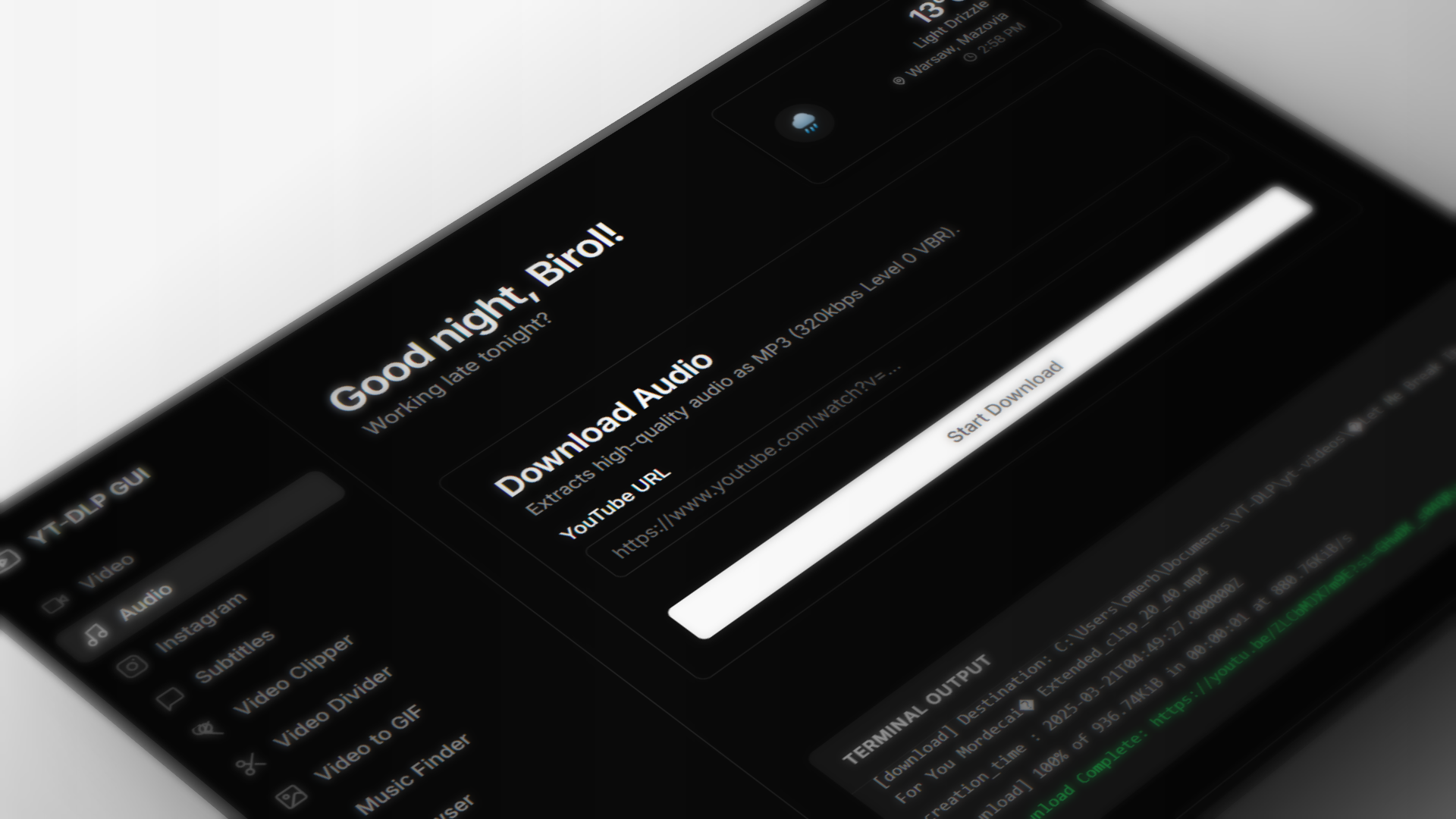
So I decided I will craft a fix for that, and I decided to make a yt-dlp wrapper so I will have a GUI to download and drag-and-drop to editing programs. I made it especially to save time and for UX. It's an Electron app with yt-dlp and ffmpeg for the backend. The first feature was downloading YT videos and audio, and later I added a subtitle downloader. Also, it was buggy at first; I had to test each feature rigorously. Then I made drag-and-drop work reliably.
Over time I had more feature ideas to add. For example, cutting a video to a clip would save a lot of time in the app, so I added that. Then I added a video to GIF converter so I could upload videos as GIFs to Miro (free accounts don't allow video uploads lol). I also added a music finder; it could find music and background music in a video so you don't have to search it yourself. Heads up, it requires an API key. Luckily both platforms give free keys, you just need to log in. AcoustID is easier to get, but its search is not good; I recommend ACRCloud. I also added some unnecessary but good-looking features, such as weather and welcome text. It gives the app life, but my friends think it's just unnecessary bloat.
The app should also auto-update yt-dlp and ffmpeg, but if it doesn't please use the force update button in the settings.
Also, please let me know about anything you want to add to it!
Birol (@biroldev)
Full-stack developer & creative technologist building web platforms, custom developer utilities, and motion graphics.
Related Articles
Whats AI skill files and how to use them
Did you know better prompts mean better outputs when it comes to AI? A personal journey into AI skill files, skills.sh, and building SkillExtract with WebAssembly.
Jev: AI That Never Seen Before
A look at Jev, a specialized decision-making AI model trained to run in parallel and return typed primitives instead of arbitrary text.